
AI Resume Writer Templates: How to Pick One and Let AI Fill It
An AI resume writer template is a pre-formatted, ATS-friendly layout that an AI fills in for you — you choose the design, paste a job title or description, and the tool drafts tailored sections you then edit. A capable AI resume writer paired with the right template gets you a clean, parseable resume in minutes, but the template only handles presentation: as Wikipedia’s overview of résumé formats makes clear, a résumé is still a summary of your actual education, work history, and skills, and no layout can substitute for what belongs in it. An AI resume writer template helps you present and format your resume; it does not guarantee a job.

This guide covers what these templates are, how the AI fills them, what makes a template genuinely ATS-friendly, the main styles and formats to choose from, and how to pick one — without letting a pretty design distract from the content that actually gets you interviews.
What an AI Resume Writer Template Is
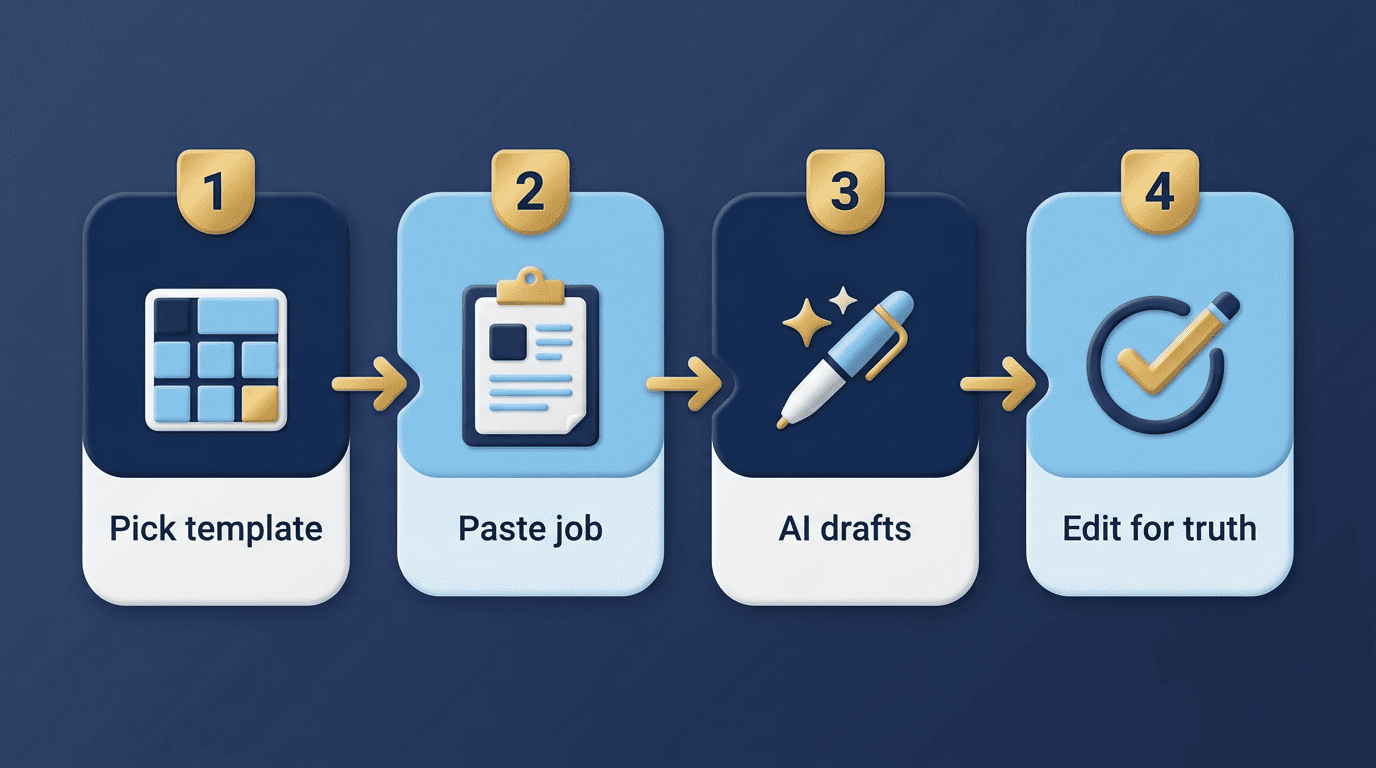
A template is the structure; the AI is the writer that fills it. You pick a layout, and the AI drafts each section based on your job title or a pasted job description, which you then edit or regenerate. The major tools offer libraries of these: Kickresume lists 40+ resume templates, Rezi offers 20+, and Enhancv offers 15 — all marketed as ready for the AI to populate and for an applicant tracking system to read.
| Builder | Templates offered | Positioning |
|---|---|---|
| Kickresume | 40+ | Broadest style range: Professional, Simple, Creative, ATS-friendly |
| Rezi | 20+ | Standard template used by 100,000+ people; Compact fits more content |
| Enhancv | 15 | Smaller set, each claimed to parse at 90%+ with major ATS parsers |
The template itself is just a container. What makes it useful is the combination of a layout an ATS can read and text that accurately reflects your background — the two things a good AI resume builder needs to get right, covered next.
How the AI Fills a Template
Paste a job description and the AI does the tailoring. Under the hood, most builders run this drafting step on general-purpose language models — Kickresume and Rezi rely on models similar to OpenAI’s GPT, Canva leans on its own Magic Write, and Microsoft Word runs its Copilot assistant. The specific tasks look similar across tools:
Match keywords from the job description. Enhancv’s builder scans a pasted job description and pulls out the terms an ATS is likely to search for, then suggests where to work them into your bullets and skills section.
Rewrite bullets with stronger verbs. Instead of «was responsible for,» the AI proposes recruiter-style action verbs — «led,» «reduced,» «built» — attached to whatever outcome you actually describe to it.
Generate a job-specific summary. A two- or three-line summary at the top gets rewritten to echo the target role’s title and priorities.
Extract hard and soft skills. The AI pulls a skills list from your input and the job posting, which you can then prune to what’s genuinely true.
Microsoft’s Word Copilot lists seven jobs it handles for a resume:
- Drafting an outline
- Summarizing your LinkedIn history
- Personalizing template text
- Generating ATS keywords
- Adding action verbs
- Rewriting summaries
- Converting the resume into a matching cover letter
Whatever tool fills the template, you still edit it — the AI’s draft is a starting point built from what you told it, not a finished, verified resume. If the AI invents a bullet point or rounds a number up, that’s on you to catch before you send it anywhere.
What Makes a Template Actually ATS-Friendly
What the parser needs
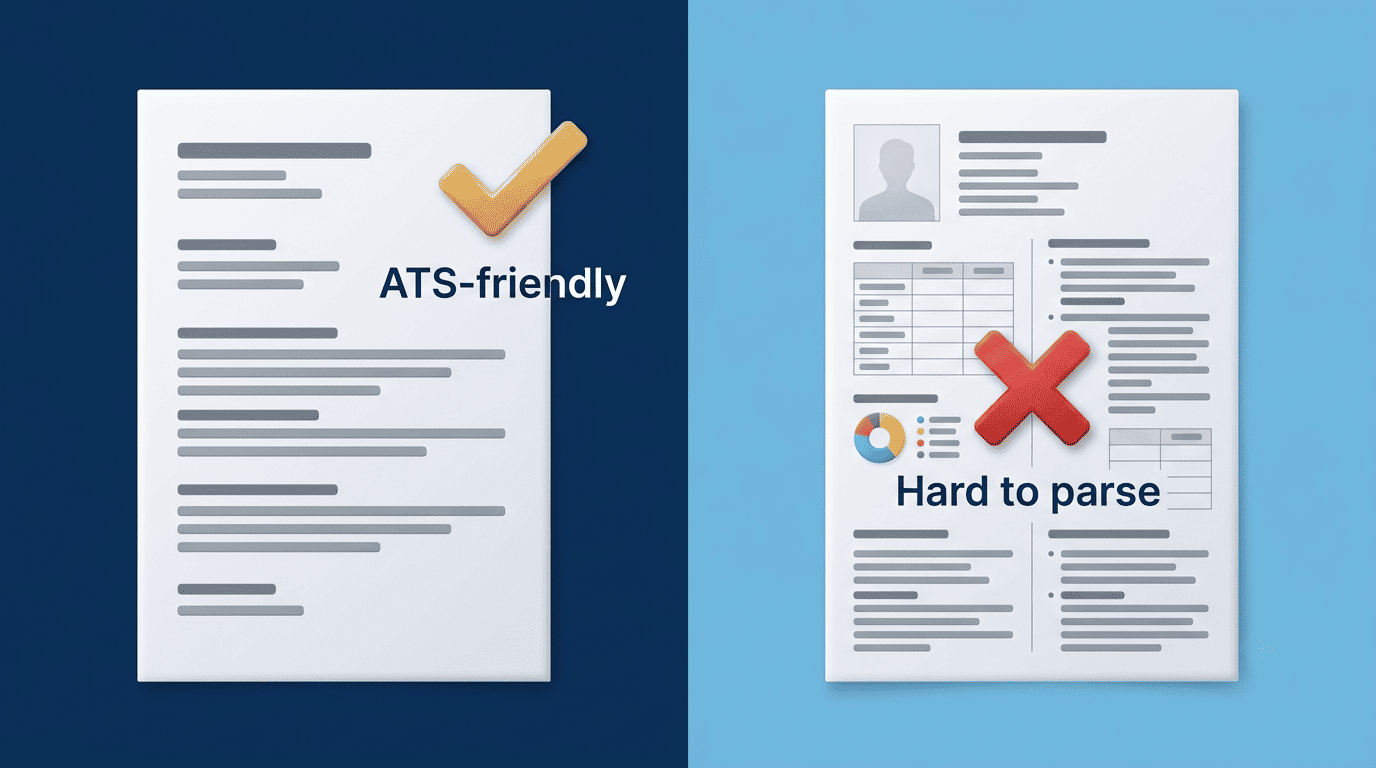
An applicant tracking system reads your resume before a person does, and it needs a few structural things to do that reliably: selectable text rather than text baked into an image, standard section headings it recognizes — Experience, Education, Skills — and a reading order it can follow top to bottom. Enhancv reports that its 15 templates each parse at 90%+ with major parsers like Sovren and RChilli, exporting as PDFs with real, selectable text layers in either A4 or US Letter size.
What breaks parsing
The usual culprits are decorative, not structural. A template can look sharp and still confuse a parser if it includes:
- Tables inside the experience or skills section, which some parsers read out of order
- Multi-column layouts that split a section’s text across two reading columns
- Graphics, icons, or photos used to represent skill levels or contact information
- Contact details placed inside a header or footer, where some parsers never look
Microsoft’s own formatting guidance is blunt about the fix: single-column layouts, standard fonts, and consistent spacing read best, while tables, decorative graphics, and creative heading names («What I Bring to the Table» instead of «Skills») should be avoided.
An applicant tracking system (ATS) is a software application that enables the electronic handling of recruitment and hiring processes.
Wikipedia, Applicant Tracking System
That electronic handling is exactly why a template’s underlying structure matters as much as its color scheme — the software has to parse the resume correctly before a recruiter ever opens it.
Template Styles and Resume Formats
Visual styles
Style is mostly taste within ATS limits. The major builders group their libraries a bit differently:
- Kickresume: Professional, Simple, Creative, and ATS-friendly
- Enhancv: Ivy League, Modern, Classic, Minimal, and Timeline
- Rezi: Standard (used by 100,000+ people) and Compact, which fits about 20% more content per page for experienced professionals
None of these labels change what the ATS reads underneath — they change how a human reader experiences the same information once it clears the parser.
The three core formats
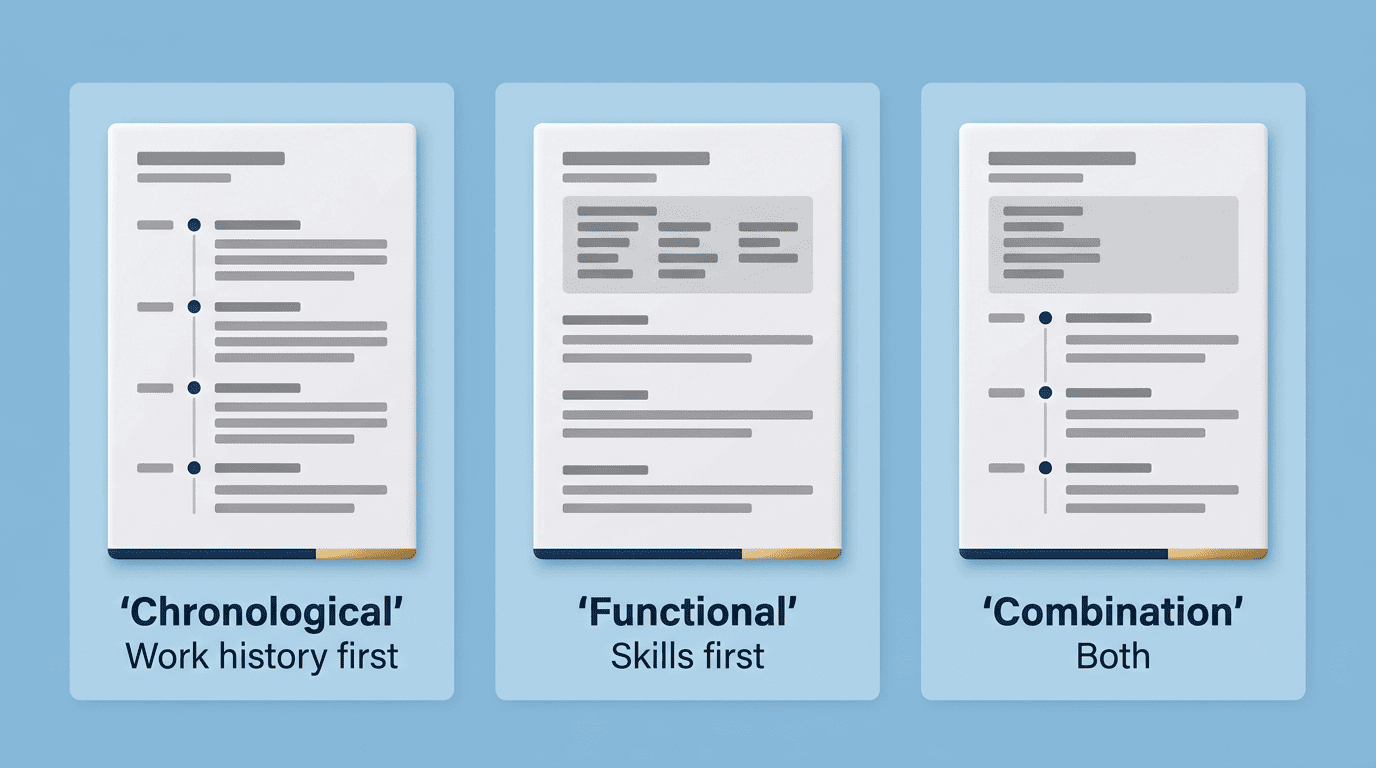
Underneath any visual style sits one of three resume formats, a distinction Wikipedia’s résumé overview also breaks down by structure rather than design.
| Format | Leads with | Best for |
|---|---|---|
| Chronological | Work history, most recent first | Steady, uninterrupted career progression |
| Functional | Skills and competencies | Career changers or noticeable employment gaps |
| Combination | Skills summary, then work history | Balancing a skills pitch with a solid track record |
Pick the format that matches your actual work history first, then choose a visual style within it — reversing that order is how people end up forcing a career story into a layout that doesn’t fit it.
How to Choose a Template Without Overthinking It
A clean single-column template in the right format, filled by the AI and lightly customized, beats an elaborate design almost every time. Customization typically covers:
- Fonts and font sizes
- Accent colors and section dividers
- Spacing and margins
- Section order (moving Skills above Experience, for example)
- Export format — PDF for most digital applications, DOCX for portals that require an editable file
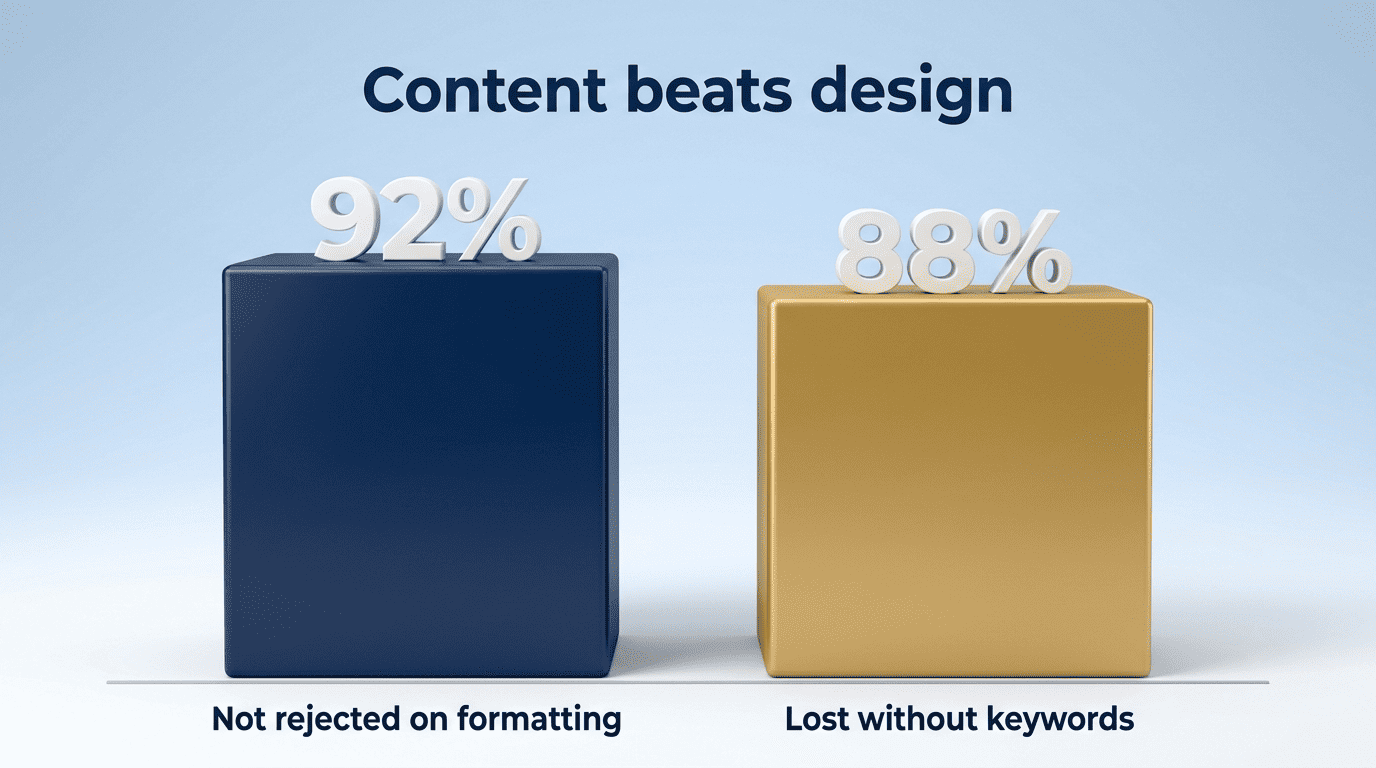
Don’t over-invest in visuals at the expense of content. Enhancv cites research showing that 92% of recruiters don’t automatically reject a resume based on formatting alone, and Microsoft has cited data suggesting 88% of employers still lose out on strong candidates when a resume is missing the right keywords for the role. Read together, those figures point the same direction: a passable layout with accurate, keyword-matched content will usually beat a beautiful layout with thin or padded content. This is also where honesty matters most — a template’s job is to present your real experience clearly, not to make thin experience look substantial. Don’t let the AI invent a title you didn’t hold, a metric you didn’t hit, or a skill you don’t have just because the template has a slot for it; the Occupational Outlook Handbook from the U.S. Bureau of Labor Statistics is a useful gut-check for whether your listed skills and titles match what the role actually involves.
Here’s a short process for working through it:
- Identify your format — chronological, functional, or combination — based on your actual work history, not the format you’d prefer to have.
- Pick a single-column, ATS-friendly style within that format.
- Paste your target job description into the AI resume builder so it can tailor keywords and bullets.
- Review every AI-generated line against what you actually did — cut anything invented or exaggerated.
- Export a PDF for online applications and keep a DOCX on hand for portals that ask for one.
- Run the resume through an ATS-checker or resend it to yourself in plain text to confirm nothing garbled in the parse.
University writing centers like the Purdue OWL cover the plain-formatting fundamentals — consistent tense, parallel bullet structure, clear headings — that work inside any template, AI-generated or not. An AI resume maker is genuinely useful for speed and keyword coverage, but the accuracy of what goes into the template is still entirely your responsibility.